

Comparison · checked 2026-11-29
Best Fortnite Locker Checker Tools 2026
This page compares four Fortnite locker tools that do different jobs. It is not a ranking. LockerCheck is one of the tools below, so treat its inclusion as a disclosed bias, not a neutral first place.
Checked 2026-11-29 from signed-out public pages: no accounts were created and no post-login flow was tested. Dollar figures are recorded-price estimates, not resale value or actual spend.
What each tool's public screen actually looks like
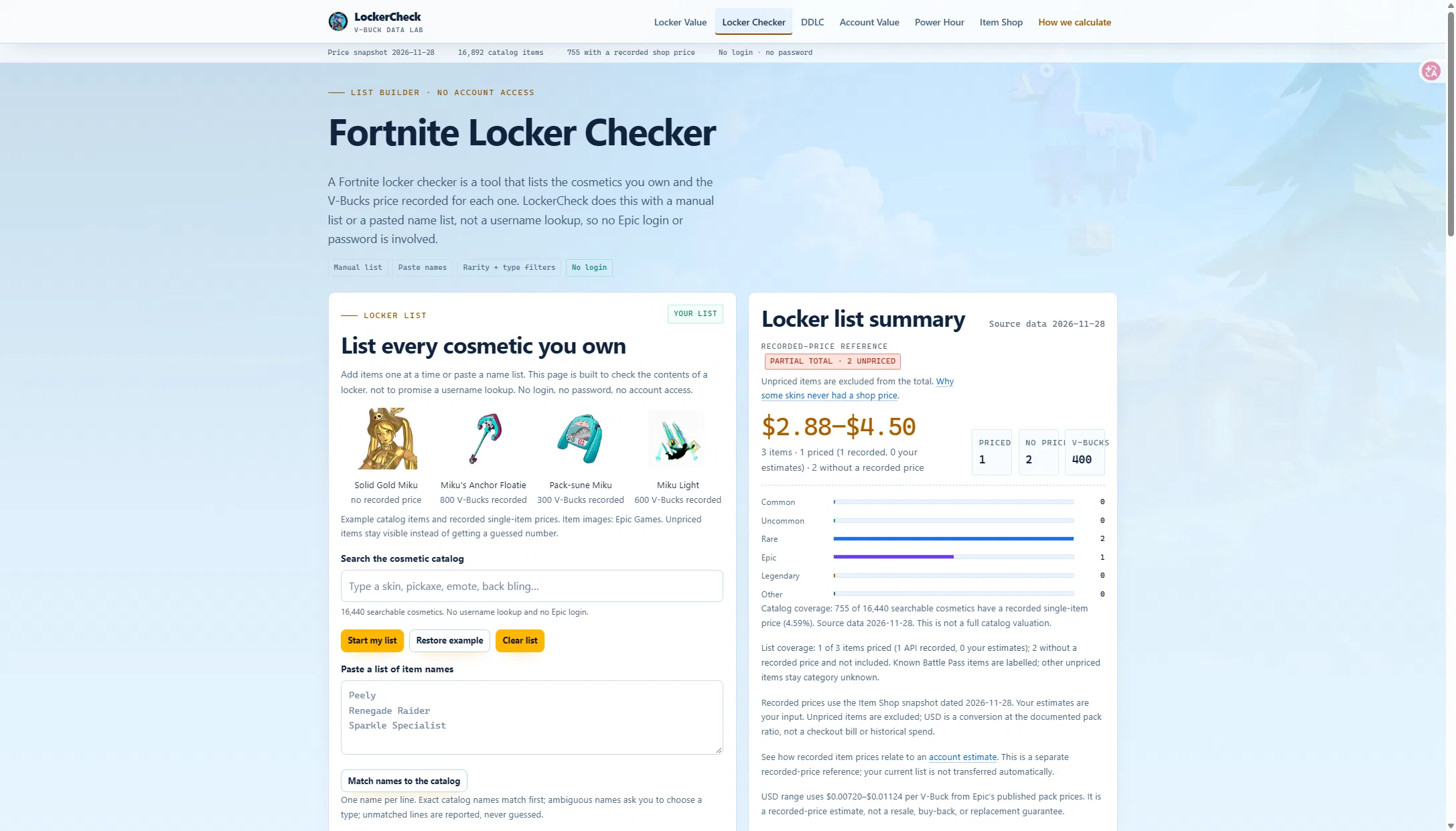
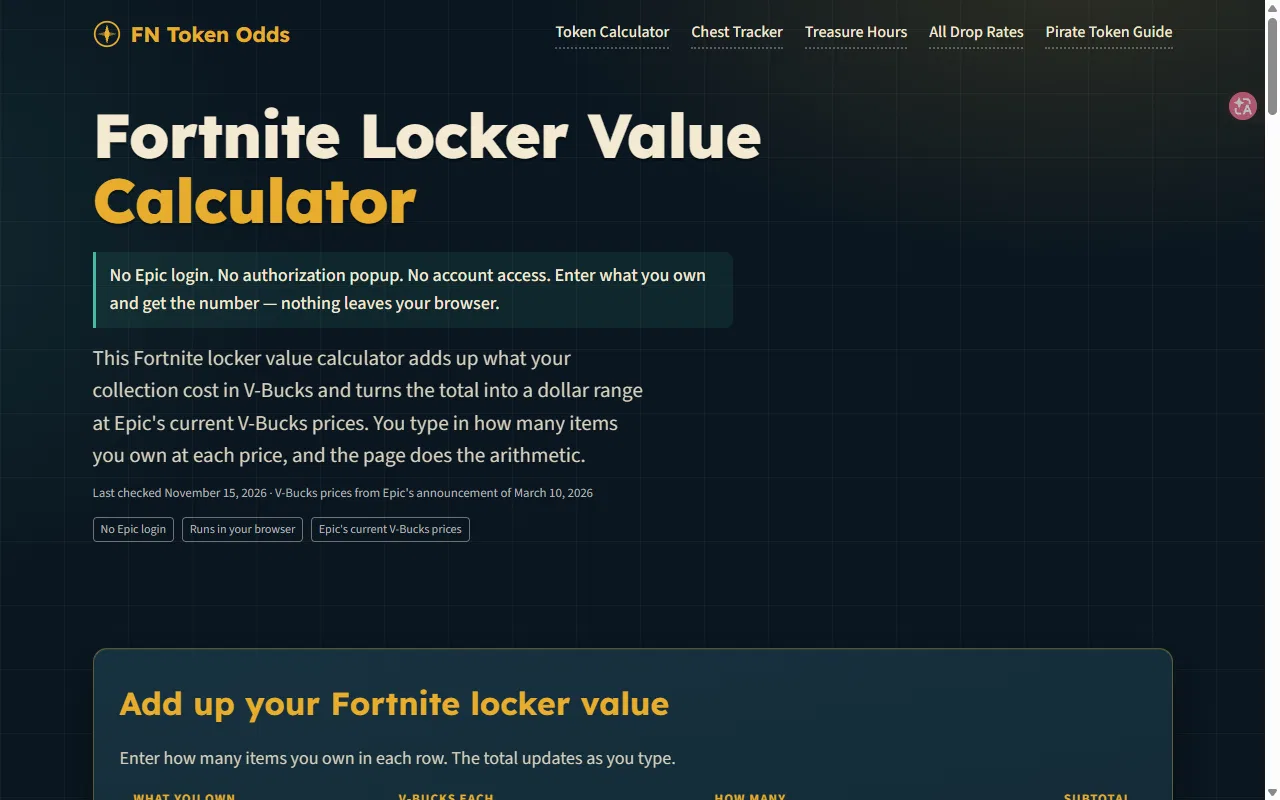
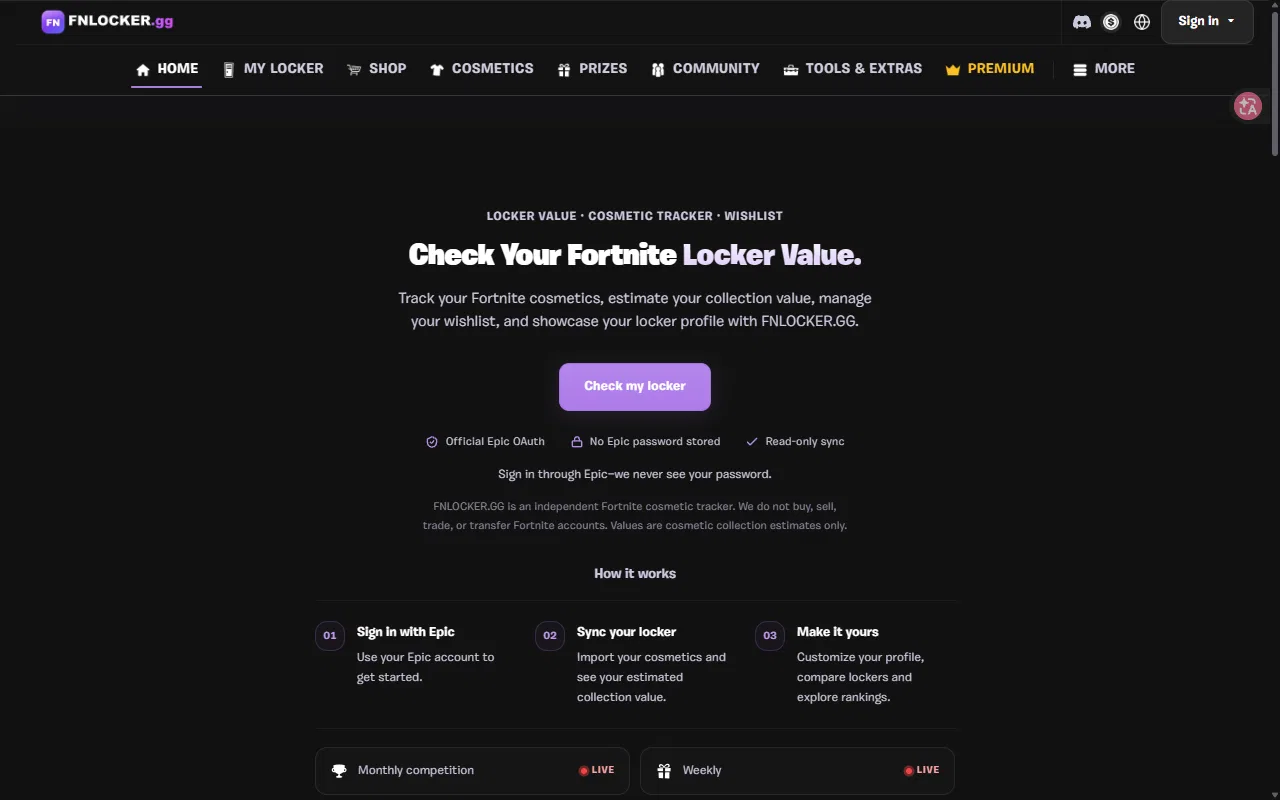
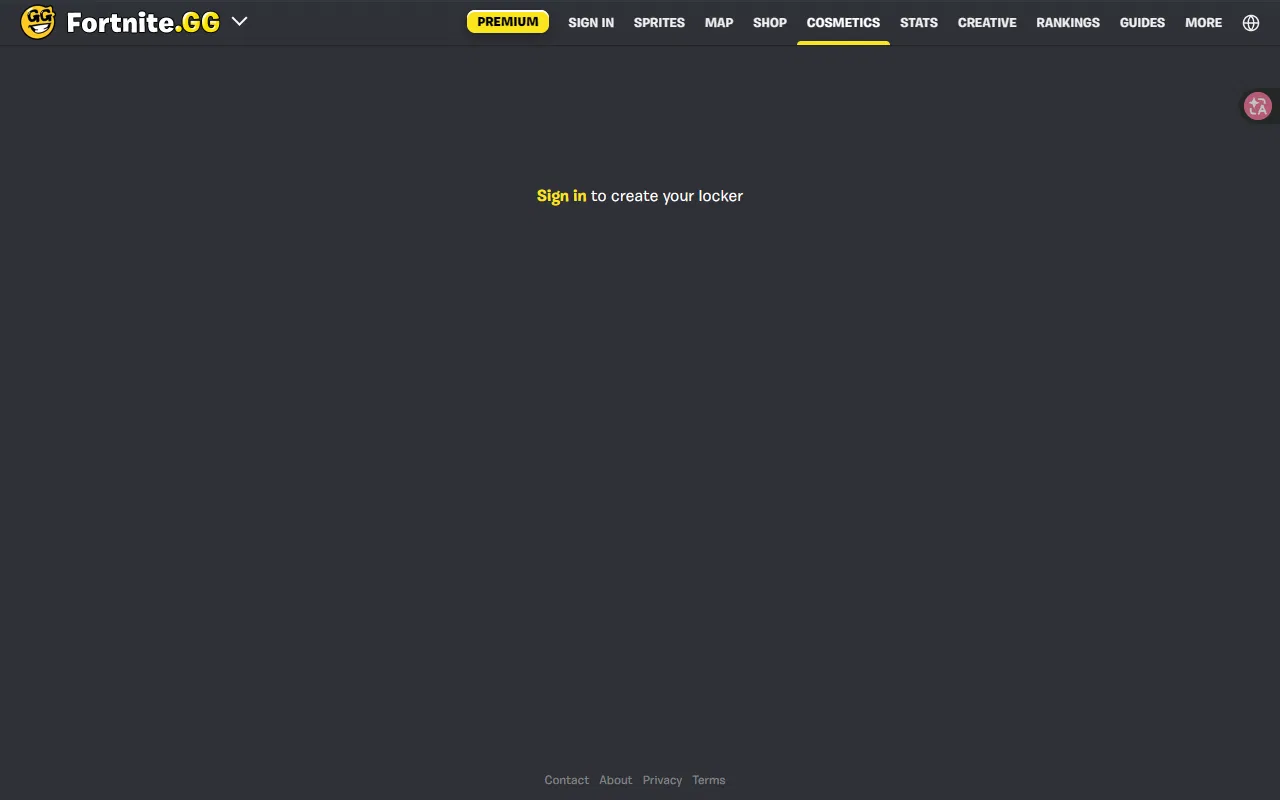
A screenshot shows what a signed-out visitor sees — it does not prove what happens after login, which is why the post-login rows stay marked “not tested”. Screenshots were captured at 1280×800 signed out; third-party cookie banners were hidden for readability.
Quick answer
For a manual list with a recorded-price budget, use LockerCheck (this site) or FN Token Odds. For a public or synced profile, FNLOCKER.GG is the public example, but its post-login sync and pricing method were not tested. Fortnite.GG's locker is a signed-in collection manager; its public page does not show a USD output. None of these gives a verified resale or account-sale value.
- No single “best”: a count-by-price budget, a manual item list and a public synced profile are different tasks.
- No verified resale value: Epic does not support locker-value sites or features, and account sales are prohibited.
- Username ≠ private inventory: a public/synced profile is not the same as reading an arbitrary Epic account.
- Current LockerCheck data: 16,892 catalog entries, 755 items with recorded prices, source data 2026-11-28. Coverage is directory-entry coverage, not player-inventory coverage.
At a glance: which tool fits which task
| What you need | LockerCheck | FN Token Odds | FNLOCKER.GG | Fortnite.GG |
|---|---|---|---|---|
| Use it without any login | Yes | Yes | No — sign in | No — sign in |
| Item-by-item cosmetic names | Yes | No — you enter counts | After sync (not tested) | After sign-in |
| Paste a list of names | Yes | No | No | No |
| Per-item recorded price | Yes (755 items) | You type the unit price | Not shown publicly | No USD output |
| USD range output | Yes | Yes | “Est. spend” figure | No |
| Public profile without login | No | No | Yes | No |
| Post-login flow we tested | Not applicable | Not applicable | Not tested | Not tested |
Four tools, four different jobs
| Tool | Task | Input | Output | Login / boundary | What it is not |
|---|---|---|---|---|---|
| FN Token Odds fntokenodds.com | Count-by-price budget | How many items you own at each price; unit prices editable | V-Bucks total and USD range | No Epic login; no account read; nothing saved | No per-item names or verification; Battle Pass vs shop classification is left to the user |
| LockerCheck this site | Manual item list + recorded-price budget | Search or paste cosmetic names; optional V-Bucks price for an unpriced item | Item count, priced/unpriced split, recorded V-Bucks sum and USD range on both home and checker | No login, no password, no username lookup; list stays in the browser | Not a resale or account value; not a complete price archive. 755 of 16,892 catalog entries have a recorded price; the rest are partial. |
| FNLOCKER.GG fnlocker.gg | Public / synced profile | Account sync and opt-in for a public profile; login to create | Public item count, V-Bucks total and an “est. spend” figure | Public profile view appears open; post-login sync/import was not tested | Not a manual list; the exact pricing method and price date are not shown on the public page. Public profile is not arbitrary username access. |
| Fortnite.GG Locker fortnite.gg/locker | Signed-in collection manager | Sign in, then build a locker | Locker list; no USD output on the public page | Sign-in required to create; post-login flow not tested | Not a price tool as read; a login is not proof of Epic authorization. |
We left Fortnite Tracker out of the table: its page returned 403 in the manager’s check, and its public description is player statistics, not a price tool. We also left marketplace account calculators out: they price a transaction Epic prohibits and are a different product from a recorded-price budget.
What we checked — and what we did not
- Output: item list, count-by-price budget, public profile, or statistics — these are not interchangeable.
- Input: manual search/paste, counts, or account sync. A shorter input is not automatically better if the output cannot be audited.
- Login boundary: a public page can show a login button without proving what happens after login. We mark post-login and import flows as untested.
- Auditability: a useful number shows which prices were used and which items were skipped. A confident single figure without a price table is weaker evidence.
- Coverage: “755 of 16,892” is a catalogue-entry ratio. It does not tell us what share of a real player’s inventory has a price.
LockerCheck (this site): what it can and cannot do
LockerCheck is a manual list plus a recorded-price reference. You add cosmetics from the public catalogue, or paste names. It counts the list, separates recorded prices from your own estimates, and shows a V-Bucks total and a USD range at Epic’s published pack rates. It does not ask for an Epic login, password or username.
Current limits: the 2026-11-28 snapshot has 16,892 catalog entries and 755 items with a recorded single-item price (4.47%). Fishstick is a known example of a shop item with a historical 1,200 V-Bucks price that is not in the captured snapshot; it appears as unpriced. Peely is a Battle Pass item with no single-item shop price. “Unpriced” means not captured or no single-item price — not free and not zero. A missing price stays visible and is excluded from the total; a user-entered price is labelled “Your estimate.” This is a recorded-price budget, not resale value, actual spend or a complete account valuation.
Paste entry, duplicate handling and refresh persistence were fixed and re-tested earlier; the figures above come from the 2026-11-28 snapshot and are updated only when a new snapshot passes the same review as the tool.
FN Token Odds: the direct count-by-price comparison
This is the closest tested comparison for a known-price budget. In our check, 800 × 1 + 1,200 × 1 + 500 × 1 produced 2,500 V-Bucks and $18–$28. It does not know item names, so the user must decide whether an item is a shop purchase, a Battle Pass reward or something else. That is faster than a 16k catalogue search, but less auditable per item.
FNLOCKER.GG: public profile, not arbitrary username access
FNLOCKER’s public pages show a top-lockers table with item counts, V-Bucks totals and “est. spend.” That is a real public/synced-profile model. We did not test the account-sync or import flow, and we did not verify its price sources or price date. A profile that the owner synced and made public is not the same as reading a private inventory from any username.
Fortnite.GG Locker: collection manager, not a valuation
The public locker page asks you to sign in to create a locker. We did not test the post-login flow. Its surrounding cosmetic database is useful, but the public page does not promise a USD value. A sign-in is not proof that Epic authorized the tool for locker reading.
Frequently asked questions
Which Fortnite locker checker is the safest to use?
Any tool that asks for your Epic password, a two-factor code or a session token is not safe. A username alone cannot read a private Epic locker. Some sites show a profile only when the owner synced and chose public; that is a shared public profile, not arbitrary access. We did not test competitor authorization or import flows.
Can any of these tools check a Fortnite locker by username?
A public display name is not permission to read a private inventory. FNLOCKER’s public profiles are for accounts that synced and opted in. Epic’s official help says it does not support a locker-value site or feature. We do not claim every third-party import technology is impossible; we only say we did not verify it and LockerCheck does not use it.
Do these tools show what an account sells for?
No verified resale value. Epic’s terms prohibit buying, selling or sharing accounts, and its help centre says it does not support locker-value sites or features. Some marketplace calculators show an account figure, but that is a model or listing estimate, not a verified sale price. LockerCheck shows a recorded-price range instead.
Is a higher locker value better?
A recorded-price range is the sum of the single-item prices recorded for the items you add, converted at pack rates. It is not an investment figure or an appraisal. Two tools can differ because they use different price sources, different coverage and different assumptions; a partial list is not a complete valuation.